We have not tested any of these monitors. What follows compares published manufacturer specification sheets, one standards announcement and the public recall record, with our arithmetic marked where it appears. We chose the models by one rule: current portable monitors whose maker publishes a full, dated specification document we could download and read ourselves, which ruled out several popular names that publish marketing pages only.
The shift that made this category work is not the panels. It is that one USB-C cable now carries the picture and the electricity in either direction. It also means the monitor draws its power from the laptop unless you arrange otherwise, and that is the specification the listings bury.
Trend Signal
62/100 Steady momentum
- Emerging
- Rising
- Mainstream
- Peaking
- Cooling
Four spec sheets, four power draws from 4.5 to 24 watts down the same USB-C cable
Published typical power draw across four current portable monitors runs from 4.5 W for the 16-inch Lenovo ThinkVision M16 to 8 W for the 14-inch touch M14t Gen 2, 11 W for the ViewSonic VX1655 and 24 W for the 4K OLED VX1655-4K-OLED, all read from maker specification sheets on September 25, 2026.
Our editorial reading of the cited data, not a forecast. How it is scored
By the numbers
- 4.5 WTypical power draw Lenovo publishes for the 16-inch ThinkVision M16, May 2026 sheetLenovo PSREF
- 24 WTypical power draw ViewSonic publishes for the 15.6-inch 4K OLED VX1655-4K-OLEDViewSonic
- 65 WMaximum USB-C power delivery Lenovo publishes per port on the ThinkVision M14t Gen 2Lenovo PSREF
- 80 GbpsDisplayPort video bandwidth over USB-C announced by VESA for Alt Mode 2.0 in April 2020VESA
What changed: one cable instead of three
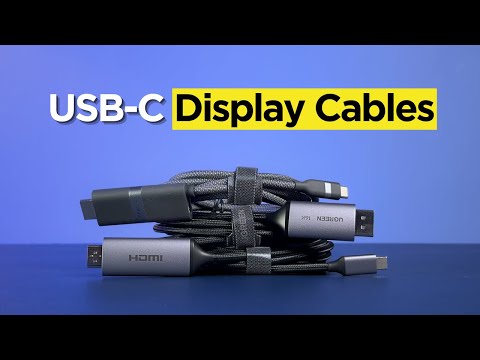
DisplayPort Alt Mode is why this product class exists in its current form. VESA announced version 2.0 on April 29, 2020, stating that it brings the full DisplayPort 2.0 feature set through the USB-C connector and can carry up to 80 Gbps of DisplayPort video using all four high-speed lanes, or up to 40 Gbps alongside SuperSpeed USB data, with power delivery on the same cable.
For a buyer that means one plug instead of three. It also introduces the failure behind most complaints about these monitors: a USB-C port on a laptop does not necessarily support DisplayPort Alt Mode, and when it does not, the monitor shows nothing however good the cable is.
Because power flows both ways, the monitor can be fed from a laptop, a power bank or a wall charger, and with headroom it can pass power back. Lenovo publishes up to 65 W per port on the M14t Gen 2 and the M16; ViewSonic publishes 60 W per port on both VX1655 models.
The power number is the one that moves

Panel choice, not screen size, sets the draw. The 16-inch Lenovo M16 with an IPS panel at 1920 by 1200 publishes 4.5 W typical and 5.5 W maximum. The 14-inch M14t Gen 2, smaller but sharper at 2240 by 1400 and with a 10-point touchscreen, publishes 8 W and 9.5 W. The 15.6-inch ViewSonic VX1655 publishes 11 W typical, and the 4K OLED version publishes 24 W typical and 25 W maximum.
That is a five-fold spread inside one category, and on battery it comes out of the laptop. It is also the argument for reading the sheet rather than the size, because the biggest screen here draws the least power.
Manufacturer tables are not infallible and should be read anyway. The ViewSonic VX1655 page lists consumption of 11 W typical and 10 W maximum, which cannot both be right, alongside eco-mode figures of 7 W and 8 W. We quote it as printed on September 25, 2026 and plan around the typical figure.
| Model | Panel | Resolution | Brightness | Typical power | Weight | Warranty |
|---|---|---|---|---|---|---|
| Lenovo ThinkVision M16 | 16 in IPS | 1920 x 1200 | 300 cd/m2 | 4.5 W | 2.1 lb | 3-year limited |
| Lenovo ThinkVision M14t Gen 2 | 14 in IPS touch | 2240 x 1400 | 300 panel, 270 set | 8 W | 1.5 lb | 3-year limited |
| ViewSonic VX1655 | 15.6 in IPS | 1920 x 1080 | 250 cd/m2 | 11 W | 1.7 lb | 3-year limited |
| ViewSonic VX1655-4K-OLED | 15.6 in OLED | 3840 x 2160 | 400 cd/m2 | 24 W | 1.5 lb | 3-year limited |
A 4K OLED portable monitor costs roughly five times the battery drain of a 16-inch IPS one.
What the search-box qualifiers actually cost you
Touch is the cheapest upgrade in watts. Lenovo’s touch model supports 10-point touch, ships with a pen, and its 8 W typical draw is under half the OLED figure. It is also the only model here with a VESA 100 mm mount and a stand offering 90 degrees of pivot each way.
4K is the expensive one on every axis. ViewSonic publishes 3840 by 2160 at 60 Hz, 400 cd/m2, a 100,000 to 1 static contrast ratio, 100 percent DCI-P3 coverage and 1.07 billion colors for the OLED model, and 24 W. On a laptop running unplugged that is a decision rather than a footnote.
Bigger screens do not automatically mean more power or more weight. The 16-inch Lenovo weighs 2.1 pounds with its stand against 1.5 for the 14-inch touch model, yet draws roughly half the power. Size, resolution, panel type and touch are four separate decisions.
What to check on your laptop, not on the monitor
Start with the port. The monitor needs a host USB-C port that supports DisplayPort Alt Mode; a charging-only port will not do. If your laptop has none, both ViewSonic models also carry a mini HDMI input, which is the fallback worth confirming before ordering.
Then read what the ports are, not just their shape. Lenovo describes both USB-C ports on the M14t Gen 2 and the M16 as Hi-Speed USB, meaning USB 2.0, with USB Power Delivery and DisplayPort 1.2. They are display and power connections rather than a dock, and Lenovo notes the 65 W figure may fall with USB devices attached or brightness raised.
Mounting is the last check. Only the M14t Gen 2 publishes a VESA 100 mm pattern among the four, so on the other three the kickstand or the supplied stand is the whole placement story, and a second screen on a small desk usually moves both screens closer.
- Whether your laptop USB-C port supports DisplayPort Alt Mode, not just charging
- The monitor typical power draw in watts, since it comes from the laptop by default
- Published power delivery per port, if you want the monitor to charge the laptop
- Whether the monitor USB-C ports carry USB 2.0 or faster data
- A mini HDMI or HDMI input as a fallback for older laptops
Who should buy now and who should wait
Buy now if you work on battery and want the second screen more than the pixels. The 4.5 W to 11 W IPS models are the pragmatic buy, all carry three-year limited warranties, and the Lenovo units are listed as ENERGY STAR certified and EPEAT Gold registered, which is rare third-party documentation in an accessory.
Wait if the plan is 4K OLED on a laptop with no charger nearby, or if the machine is old enough that DisplayPort Alt Mode is uncertain. One more thing worth stating plainly: we searched the CPSC recall database for monitors on September 25, 2026 and no portable monitor appeared. The notices returned were baby and video monitors plus desktop computer displays, the most recent of those a Hewlett-Packard flat panel in 2005.
What to watch next
- Whether makers start publishing power draw next to the screen size in listings, since it is currently buried in the spec sheet
- Whether 4K OLED models bring their typical draw below 24 W, the figure holding the panel back on battery
- Whether more portable monitors arrive with VESA mounting, which only one of the four models here publishes
Where to start
Paid links: we earn a commission if you buy through the buttons below, at no extra cost to you. As an Amazon Associate I earn from qualifying purchases.
Portable monitor types compared on what changes for a laptop
| Product type | Good fit for | Where to look |
|---|---|---|
| USB-C portable monitor, IPS | Fits long battery sessions | See listings on AmazonOpens Amazon search results, not one listing: check the model on the product page. |
| 4K portable monitor | Fits color work | See listings on AmazonOpens Amazon search results, not one listing: check the model on the product page. |
| Touchscreen portable monitor | Fits note-taking and markup | See listings on AmazonOpens Amazon search results, not one listing: check the model on the product page. |
Product types that fit the trend described above, not tested models. Check the exact listing before you buy. How we pick them.
USB-C portable monitor, IPS
Where to look: Amazon
The practical buy for travel and hot-desking. Read the typical wattage, because it varies fivefold across a category that looks identical in photographs.
- Published draws as low as 4.5 W
- One cable for video and power
- Brightness in this class starts near 250 cd/m2
- Needs Alt Mode on the host
4K portable monitor
Where to look: Amazon
Worth it when the picture is the job. Plan for wall power or a power bank, since the published draw is several times that of the IPS models beside it.
- 100 percent DCI-P3 is published on the OLED model
- 400 cd/m2 brightness
- 24 W typical draw is the highest here
- Hungry on a laptop with no charger
Touchscreen portable monitor
Where to look: Amazon
The upgrade with the smallest power penalty. Check the touch point count, whether a pen is included and whether the stand pivots, since all three are published.
- 10-point touch with a pen supplied
- Tilt and pivot stand plus VESA mounting
- Higher draw than a non-touch panel
- Touch adds weight to a bag
More: Work and Office trends and how the Trend Signal is scored.
Sources
- ThinkVision M16 Monitor product specifications reference, May 7, 2026 — Lenovo PSREF
- ThinkVision M14t Gen 2 product specifications reference, November 24, 2025 — Lenovo PSREF
- VX1655 15.6 inch 1080p portable monitor, specifications — ViewSonic
- VX1655-4K-OLED 15.6 inch UHD OLED portable monitor, specifications — ViewSonic
- VESA releases updated DisplayPort Alt Mode spec for USB4 and new USB Type-C devices — VESA
Questions readers ask
Does a portable monitor drain the laptop battery?
Unless you power it separately, yes, and the amount is published. Lenovo lists 4.5 W typical for the ThinkVision M16 and 8 W for the M14t Gen 2; ViewSonic lists 11 W for the VX1655 and 24 W for the 4K OLED version. Both Lenovo models publish up to 65 W per port, so a charger plugged into the monitor can feed the laptop.
Why does my portable monitor show nothing over USB-C?
Usually because the laptop port does not support DisplayPort Alt Mode, the VESA standard that carries video over the USB-C connector. VESA announced version 2.0 on April 29, 2020, taking video bandwidth over the connector to 80 Gbps. If the host port lacks it, a mini HDMI or HDMI input on the monitor is the workaround.
Is a 4K portable monitor worth it for a laptop?
It depends on power more than pixels. ViewSonic publishes 3840 by 2160, 400 cd/m2 and 100 percent DCI-P3 for its 15.6-inch OLED model, and 24 W typical against 11 W for its 1080p model of the same size.
Have portable monitors been recalled?
None appears. We searched the CPSC recall database on September 25, 2026 and found no portable monitor notice. What the search returns is baby and video monitors plus desktop computer displays, the most recent of those a Hewlett-Packard flat panel recalled in 2005.