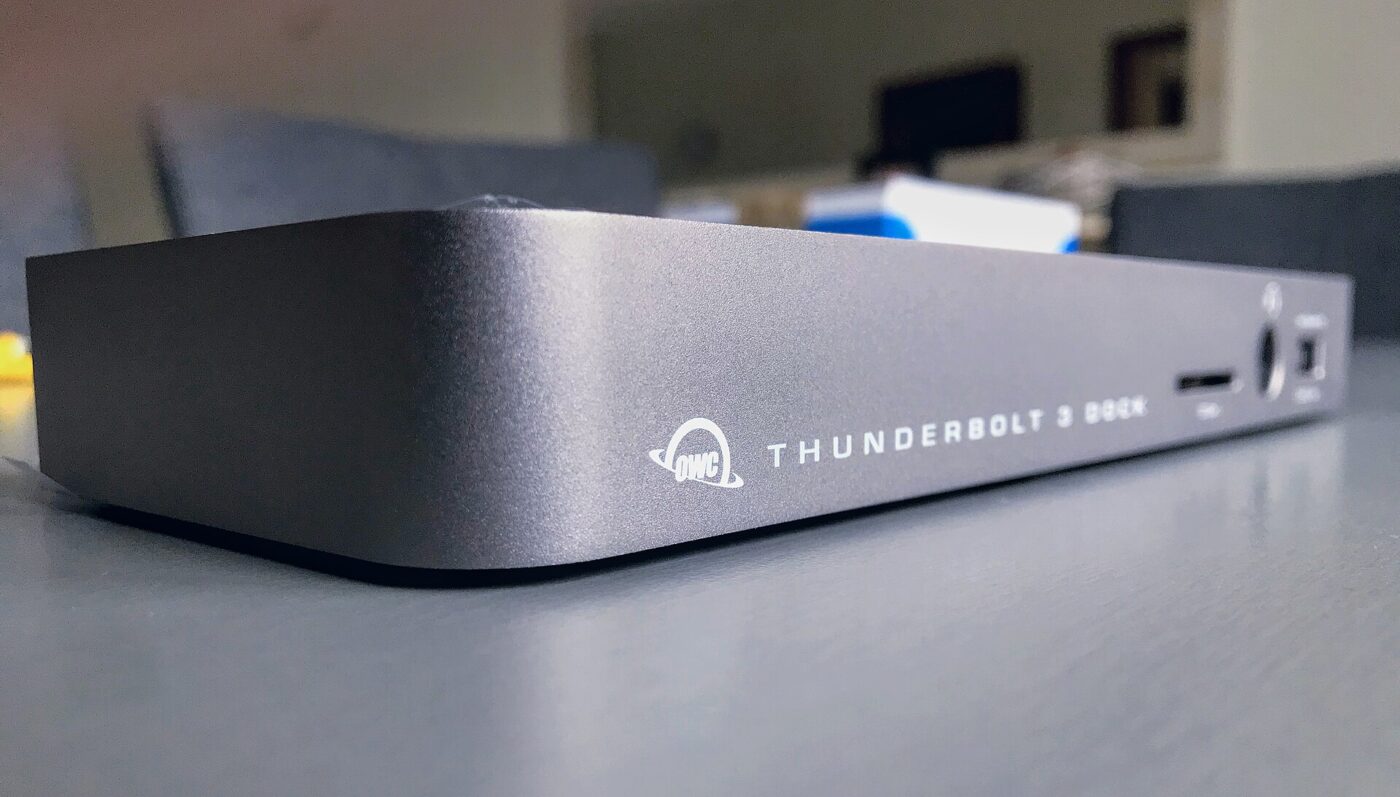
Thunderbolt 5 docks went from a handful of early models to a full shelf in the first half of 2026. CalDigit sells a 20-port model, Hyper launched one at a suggested $399.99 on April 7, 2026, and Kensington and Plugable showed new models at CES in January. The pitch is the same everywhere: one cable, 80 to 120 Gbps, 140 watts of laptop charging and more monitors.
The catch is the other end of the cable. A dock can only run as fast as the port it plugs into, and Thunderbolt 5 ports are still limited to higher-end machines; Apple, for example, reserves them for the M5 Pro and M5 Max MacBook Pro. Here is what the standard adds, which docks are out, and who gets their money’s worth.
Trend Signal
64/100 Steady momentum
- Emerging
- Rising
- Mainstream
- Peaking
- Cooling
Dock makers moved first, laptops are catching up
CalDigit, Hyper, Kensington and Plugable all had Thunderbolt 5 docks on sale or announced by April 2026, but Apple still ships its base M5 MacBook Pro with Thunderbolt 4 and keeps Thunderbolt 5 for the M5 Pro and M5 Max models.
Our editorial reading of the cited data, not a forecast. How it is scored
By the numbers
- 120 GbpsThunderbolt 5 transmit bandwidth with Bandwidth Boost, vs 40 Gbps for Thunderbolt 4Intel Thunderbolt 5 Technology Brief
- 140WLaptop charging required on at least one Thunderbolt 5 PC port, vs 100W for Thunderbolt 4Intel Thunderbolt 5 Technology Brief
- $399.99Suggested price of Hyper’s HyperDrive Next Thunderbolt 5 dock at launch, April 7, 2026Hyper
- 2 vs 4External displays supported by the M5 vs M5 Max MacBook Pro, per Apple, September 2026Apple
What Thunderbolt 5 adds over Thunderbolt 4
Intel, which certifies every product that carries the Thunderbolt logo, describes Thunderbolt 5 as built on the USB4 version 2 and DisplayPort 2.1 standards. The headline is 80 Gbps in each direction, double Thunderbolt 4. A feature called Bandwidth Boost can rebalance the link to 120 Gbps outbound and 40 Gbps inbound when displays need more room, which Intel says gives up to three times the video bandwidth of Thunderbolt 4.
The less-advertised changes matter as much on a desk. PCIe data bandwidth doubles to 64 Gbps, which is what external SSDs and capture devices use. Certified computers must support dual 6K displays rather than dual 4K, and laptop charging of up to 140 watts is required on at least one Thunderbolt 5 port, with up to 240 watts possible, compared with 100 and 140 watts for Thunderbolt 4. Certified cables up to 2 meters long carry the full 120 Gbps, so use the cable that ships with the dock rather than an old one from a drawer.
| Feature | Thunderbolt 5 | Thunderbolt 4 |
|---|---|---|
| Link speed | 80 Gbps each way; 120 Gbps with Bandwidth Boost | 40 Gbps |
| Required display support on PCs | Dual 6K | Dual 4K |
| PCIe data | 64 Gbps | 32 Gbps |
| Laptop charging on a PC port | Required up to 140W; up to 240W possible | Required up to 100W; up to 140W possible |
| Speed over certified cables up to 2 meters | 120 Gbps | 40 Gbps |
The 2026 dock wave
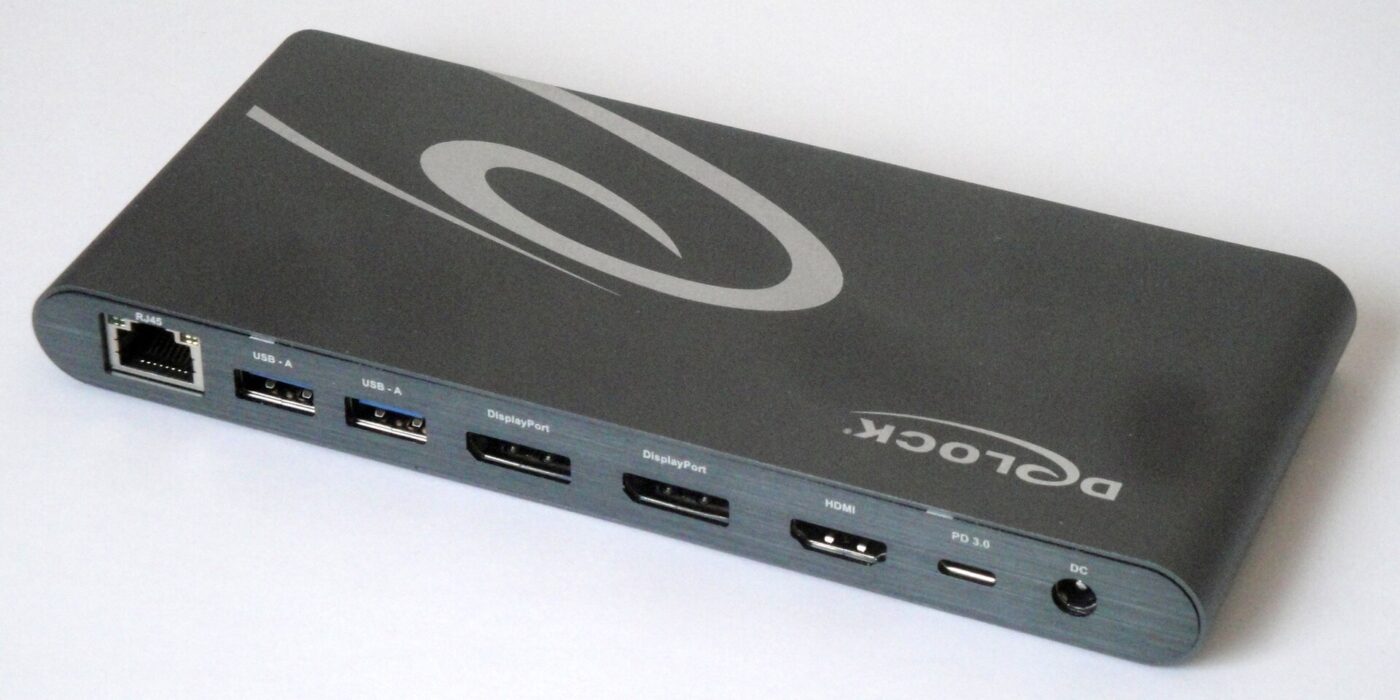
Accessory makers moved faster than laptop makers. CalDigit’s TS5 Plus has 20 ports, including two downstream Thunderbolt 5 ports, 10 Gigabit Ethernet and 140 watts of host charging. Hyper’s HyperDrive Next dock launched on April 7, 2026 at a suggested $399.99, with an M.2 slot for an internal SSD and Thunderbolt Share for connecting two PCs to one dock.
Kensington used CES 2026 to preview its SD5010T5, a Thunderbolt 5 dock for up to three 4K or two 8K displays due in North America in the second quarter, alongside a 19-port EQ Pro model with a built-in M.2 slot that was already on sale. Plugable unveiled its TBT-UDH2 at CES on January 5, 2026, with dual HDMI 2.1 outputs for two 4K monitors at 144Hz and 140 watts of charging.
The dock is not the only route. Apple’s refreshed Studio Display, announced March 3, 2026, has two Thunderbolt 5 ports and two USB-C ports and charges a laptop at 96 watts, so for a single-monitor Mac desk the display itself can serve as the hub.
Nearly every 2026 Thunderbolt 5 dock lands on the same core: 140W charging, several 4K-or-better displays and one cable.
Your laptop decides what you actually get

A Thunderbolt 5 dock works with older hosts: CalDigit lists Thunderbolt 4, USB4 and, on Macs, Thunderbolt 3 compatibility for the TS5 Plus. But a link runs at the speed of its slower end, so on a Thunderbolt 4 laptop you are paying for bandwidth you cannot use yet.
Apple’s MacBook Pro line shows the split. The M5 model has three Thunderbolt 4 ports and supports up to two external displays. The M5 Pro and M5 Max models have three Thunderbolt 5 ports and support up to three and four external displays, with configurations that include 5K at 120Hz or 4K at 240Hz. CalDigit’s display table for the TS5 Plus follows the chip, not the dock: two displays on base M4 and M5 Macs, three on M5 Pro, four on M5 Max.
On Windows, Plugable describes Thunderbolt 5 as appearing on “select Windows systems,” and CalDigit supports up to three displays on Thunderbolt 5 PCs. Check the laptop’s spec sheet for a port labeled Thunderbolt 5 before paying the premium.
When Thunderbolt 4 is still enough
For a common hybrid desk of one or two 4K monitors at 60Hz, a keyboard, a mouse, Ethernet and charging, Thunderbolt 4 already does the job. CalDigit’s TS4 offers 18 ports, 98 watts of charging and two external displays on Windows Thunderbolt 4 laptops, and dual 4K support is a requirement for every certified Thunderbolt 4 PC.
Thunderbolt 5 earns its price at the edges: several high-refresh, 6K or 8K monitors, 10 Gigabit networking, fast external or dock-mounted SSDs, and laptops that draw more than 100 watts. Those are video-editing and engineering desks more than spreadsheet desks.
Charging is the quiet reason to care. Intel writes its rules around it: Thunderbolt 4 ports must charge thin-and-light laptops that need less than 100 watts, Thunderbolt 5 ports those that need less than 140 watts. If your laptop ships with a charger under 100 watts, charging alone is not a reason to move up.
Buy now or wait
Buy a Thunderbolt 5 dock now if your laptop has Thunderbolt 5 and you will use at least one of its extras: more than two external displays, high refresh rates at 4K or above, 10 Gigabit Ethernet or fast external storage. Buying one for a Thunderbolt 4 laptop you plan to replace soon is also reasonable, because the dock runs at Thunderbolt 4 speed until the new machine arrives.
Wait, or buy Thunderbolt 4, if your laptop is a base model with Thunderbolt 4 or plain USB-C, you run one or two 60Hz monitors and your charger is under 100 watts. With at least four brands shipping or announcing Thunderbolt 5 docks in the first half of 2026, our read is that competition is more likely to pull prices down than push them up.
What to watch next
- Windows laptop spec sheets listing Thunderbolt 5 on mainstream models, not only workstations
- Street prices on the first Thunderbolt 5 docks as more makers ship them
- Whether Apple moves its base MacBook Pro from Thunderbolt 4 to Thunderbolt 5 at its next update
Where to start
Paid links: we earn a commission if you buy through the buttons below, at no extra cost to you. As an Amazon Associate I earn from qualifying purchases.
Laptop docks compared on what differs
| Product type | Good fit for | Where to look |
|---|---|---|
| Thunderbolt 5 docking station | Fits Thunderbolt 5 laptops and multi-monitor desks | See listings on AmazonOpens Amazon search results, not one listing: check the model on the product page. |
| Thunderbolt 4 docking station | Fits Thunderbolt 4 and USB4 laptops | See listings on AmazonOpens Amazon search results, not one listing: check the model on the product page. |
| Compact USB-C hub with pass-through charging | Fits travel and single-monitor setups | See listings on AmazonOpens Amazon search results, not one listing: check the model on the product page. |
Product types that fit the trend described above, not tested models. Check the exact listing before you buy. How we pick them.
Thunderbolt 5 docking station
Where to look: Amazon
The right dock for an M5 Pro or M5 Max MacBook Pro or a Thunderbolt 5 Windows laptop driving several fast monitors or fast storage.
- 80 Gbps link, 120 Gbps boost for displays
- 140W charging across 2026 models
- Runs at Thunderbolt 4 speed on older laptops
- Hyper’s launched at a suggested $399.99
Thunderbolt 4 docking station
Where to look: Amazon
Does the same job as a Thunderbolt 5 dock for one or two 60Hz monitors and a laptop charger under 100 watts.
- Covers dual 4K at 60Hz
- Wide choice of models
- Charging tops out lower
- No headroom for high-refresh multi-monitor desks
Compact USB-C hub with pass-through charging
Where to look: Amazon
The travel half of a two-desk setup: enough for a hotel TV or a borrowed monitor, not a full desk.
- Small and light
- Uses the laptop charger you already carry
- Few ports
- Usually one external display
More: Work and Office trends and how the Trend Signal is scored.
Sources
- Thunderbolt 5 Technology Brief — Intel
- MacBook Pro Technical Specifications — Apple
- Thunderbolt 5 Dock TS5 Plus — CalDigit
- Thunderbolt Station 4 (TS4) — CalDigit
- Hyper Launches HyperDrive Next Thunderbolt 5 Dock with Built-in M.2 Expansion — Hyper
- Kensington Previews Next-Generation Solutions at CES 2026 — Kensington
- At CES, Plugable Introduces Its Flagship Thunderbolt 5 Dock of 2026 — Plugable
- Apple unveils new Studio Display and all-new Studio Display XDR — Apple Newsroom
Questions readers ask
Is a Thunderbolt 5 dock worth it in 2026?
Only if your laptop has a Thunderbolt 5 port and you need what it adds: 80 Gbps links, up to 120 Gbps for displays, 64 Gbps PCIe data and charging for laptops that need up to 140 watts. For a price reference, Hyper launched its HyperDrive Next dock at a suggested $399.99 on April 7, 2026.
Does a Thunderbolt 5 dock work with a Thunderbolt 4 laptop?
Yes. CalDigit lists Thunderbolt 4, USB4 and, on Macs, Thunderbolt 3 compatibility for its TS5 Plus, but the connection runs at the older port’s speed and display limits.
Which MacBook Pro models have Thunderbolt 5?
As listed on Apple’s spec page in September 2026, the M5 Pro and M5 Max MacBook Pro models have three Thunderbolt 5 ports. The M5 model has three Thunderbolt 4 ports and supports up to two external displays.
Will a Thunderbolt 5 dock add more monitors to my MacBook?
No. The number of external displays is set by the Mac’s chip. CalDigit’s TS5 Plus supports two displays on base M4 and M5 Macs, three on M5 Pro and four on M5 Max.