Type power bank 100 into Amazon and the box offers both spellings of the number. We pulled the completions on October 12, 2026: ten in all, with power bank 100w, power bank 100w pd and laptop power bank 100w usb-c on one side, and power bank 100wh, power bank 100wh anker and power bank 100wh tsa approved on the other. Shoppers are using W and Wh as if they were one specification. They are not, and the figure printed largest on the box is usually not the one an airline cares about.
We have tested nothing here and will not suggest otherwise. This compares what USB-IF publishes in its own documents, what the Code of Federal Regulations says, and what two manufacturer pages state on the record. Our selection rule: packs and cables whose makers publish a specification table we could open, plus the standards text that defines each number. Method: how we track trends.
Trend Signal
71/100 Strong momentum
- Emerging
- Rising
- Mainstream
- Peaking
- Cooling
Buyers are typing both units for the same product, and the makers print only one
Amazon’s US autocomplete returns ten completions for the prefix power bank 100 and splits them between watts and watt-hours, pulled October 12, 2026. USB-IF puts the USB Power Delivery ceiling at 240W, while 49 CFR 175.10 writes the carry-on limit in watt-hours, and both Anker pages we read print only mAh.
Our editorial reading of the cited data, not a forecast. How it is scored
By the numbers
- 240WMaximum USB Power Delivery over a USB Type-C cable and connector, PD Revision 3.1USB-IF
- 100 WhWatt-hour ceiling for a spare lithium-ion battery in carry-on without operator approvaleCFR
- 60W or 240WThe only two certified USB Type-C cable power ratings, announced September 30, 2021USB-IF
- 25,000mAhCapacity Anker prints for its 165W laptop power bank; that page lists no Wh figureAnker
Two numbers, two different jobs
A watt is a rate and a watt-hour is a quantity. The W figure says how fast the pack can push power into a phone or a laptop at one instant. The Wh figure says how much energy is inside it, which is what decides whether it is allowed in the cabin.
USB-IF sets the first number. Its USB Charger page states that before the Power Delivery update, “USB PD was limited to 100W using a solution based on 20V using USB Type-C cables rated at 5A”, and that new 28V, 36V and 48V fixed voltages enable up to 140W, 180W and 240W respectively. The same page says the USB Type-C specification was updated to Release 2.1 to define 240W cable requirements. So 100W is not a hardware ceiling any more; it is the old top of the range and the most common single-port tier.
You can see the arithmetic on a product page. Anker lists its 165W laptop pack’s USB-C port with steps ending at “20V–5A (100W Max)”. Twenty volts times five amps is the hundred watts USB-IF describes.
A 100W pack and a 100 Wh pack are not describing the same property, and a listing can be one without being the other.
What the 100W label does and does not promise
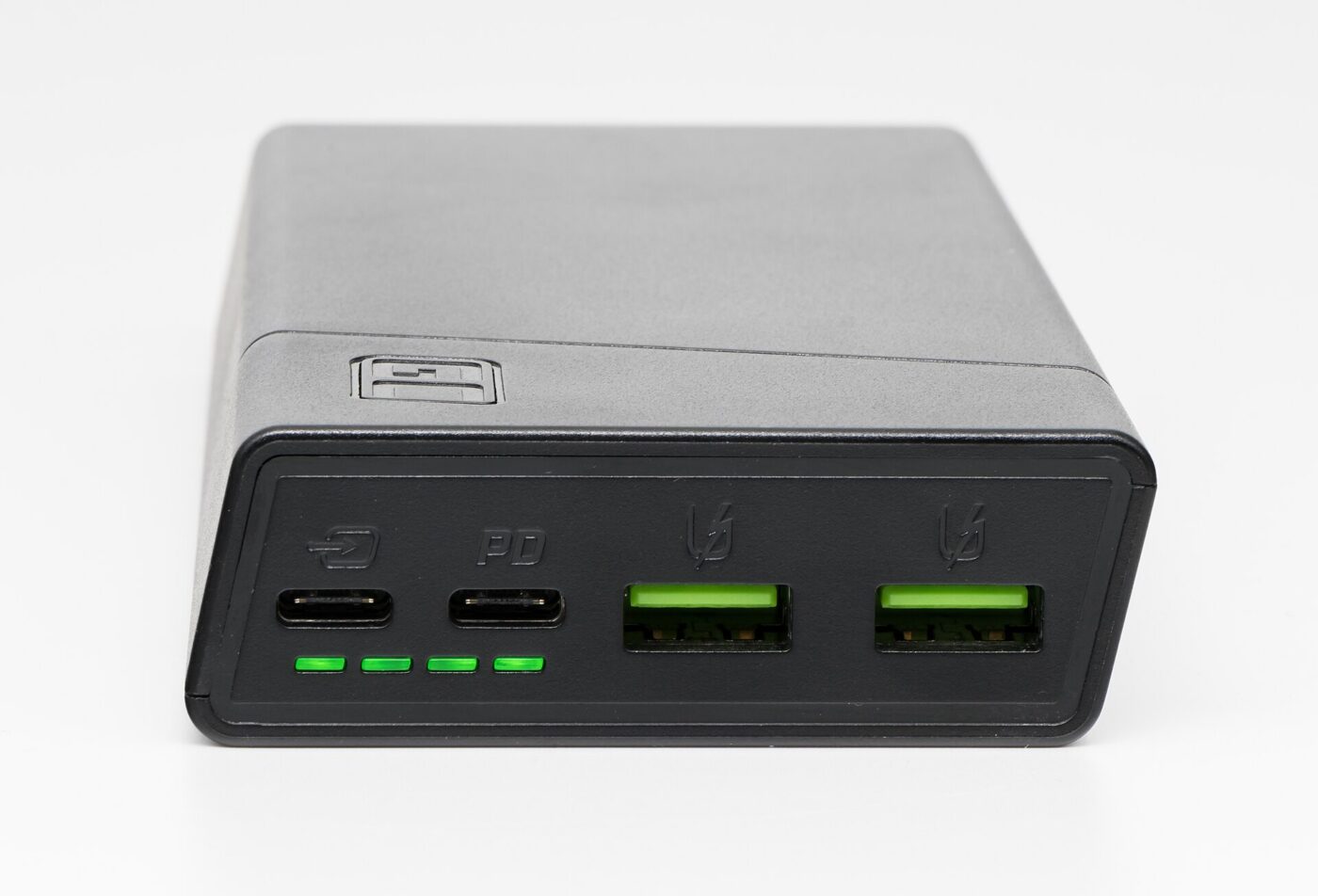
The headline wattage on a multi-port pack is usually the combined total, not what one device gets. Anker’s specification for the same 25,000mAh pack gives a total output of 165W maximum, a USB-C port of 100W maximum and a USB-A port of 33W maximum, and then adds in its notes that the pack “delivers a maximum output of 130W” with three or four devices attached and up to 165W with two.
Input matters as much as output. The same page lists the input as 100W maximum, and its own answer to how long a refill takes is about two hours with a 100W or higher charger at 77°F.
For laptops, match the computer’s published requirement rather than the pack’s headline. Apple’s MacBook Air specification page ships the machine with a “40W Dynamic Power Adapter with 60W Max” and says it is “fast-charge capable with 70W or higher USB PD power source”. A single 100W USB-C port clears that bar; a 65W pack keeps the machine alive without hitting the fast-charge threshold.
| Figure on the listing | What it is | Where it is defined |
|---|---|---|
| 100W | Output rate at 20V and 5A | USB-IF USB Charger page |
| 140W / 180W / 240W | PD Revision 3.1 tiers at 28V, 36V and 48V | USB-IF USB Charger page |
| 165W total | Combined output, falling to 130W with three or four devices | Anker specification table |
| 100 Wh | Energy ceiling for a spare battery in carry-on | 49 CFR 175.10 |
| 70W or higher | Source needed for MacBook Air fast charging | Apple specifications |
Why the watt-hour figure is the one that can strand you
The federal rule is written in watt-hours. Under 49 CFR 175.10, a passenger’s lithium-ion battery must not exceed 100 Wh; with operator approval, devices may contain batteries above 100 Wh but not above 160 Wh, and no more than two protected batteries in that band may be carried per person as spares in carry-on baggage.
The clause that catches power banks is easy to miss. The same paragraph states that “articles containing lithium metal or lithium ion cells or batteries the primary purpose of which is to provide power to another device must be carried as spare batteries in accordance with the provisions of this paragraph”. A power bank is that article, so it inherits the spare-battery treatment, including terminal protection against short circuits. Our article on airline power bank rules covers the conditions carriers have layered on top.
Here is the practical problem. Neither Anker page we read prints a watt-hour number. The 100W collection page describes the family as offering “up to 24,000mAh capacity” and gives no Wh figure anywhere, while listing products at 25K and 27K. The 165W pack’s table gives 25,000mAh and lists “Flight-Approved” as a feature with no watt-hour rating beside it. The unit the regulation uses is absent from both pages.
If a listing claims flight approval without printing a Wh rating, the claim is not checkable from the listing.
The cable is a third number, and it has only two settings

There is no certified 100W cable. USB-IF announced on September 30, 2021 that certified USB Type-C cable logos would display power capability in watts, “clearly indicating support for 60W or 240W as defined by the USB Power Delivery 3.1 Specification”. Those are the only two tiers in the program.
USB-IF’s USB Type-C cable logo usage guidelines, which we downloaded and extracted, show how the tiers combine with data rates: a USB 20Gbps cable supporting 20V at 3A “must be marked with the Combined Performance and Power 20Gbps/60W logo”, and combined marks pair 5, 20, 40 and 80Gbps with either 60W or 240W. It also notes that USB 2.0 Type-C 240W and 60W cables carry data at only up to 480Mbps, so a high-power cable can be a slow data cable.
The logos are not decoration. USB-IF’s logo licensing page states in capitals that its logos “may be used only in conjunction with products which have passed USB-IF compliance testing and are currently on the Integrators List”. If you are replacing what no longer comes in the box — a change we covered in the phones that ship without a charger — the cable mark is the cheapest check available.
Who should buy now and who should wait
Buy now if you are matching a specific laptop. Pick the pack whose single-port figure meets or beats the maker’s published fast-charge requirement, confirm there is a Wh rating printed on the case, and keep it under 100 Wh if you fly without asking anyone first.
Wait if your only goal is a bigger number. The ceiling is already 240W per USB-IF, and the EU rules are still working through the market: USB-IF’s August 27, 2024 announcement of its IEC 62680 conformity program notes the EU common charger directive took effect on January 1, 2025 for portable battery-powered devices and in 2026 for laptops, and that it covers the USB Power Delivery protocol for devices advertising more than 15 watts. More laptops charging over USB-C by default means the same pack keeps working across more machines.
What to watch next
- Whether maker specification tables start printing a Wh rating next to mAh, the unit 49 CFR 175.10 uses
- How many certified 240W cables appear on the USB-IF Integrators List, since 60W and 240W are the only rated tiers
- Whether more laptops publish a USB Power Delivery wattage requirement, as Apple does with its 70W fast-charge line
Where to start
Paid links: we earn a commission if you buy through the buttons below, at no extra cost to you. As an Amazon Associate I earn from qualifying purchases.
Power bank and cable types compared on the figures that differ
| Product type | Good fit for | Where to look |
|---|---|---|
| USB-C power bank with 100W output | Fits a USB-C laptop | See listings on AmazonOpens Amazon search results, not one listing: check the model on the product page. |
| Power bank under 100 watt-hours | Fits flying without asking | See listings on AmazonOpens Amazon search results, not one listing: check the model on the product page. |
| USB-C cable rated for 240W | Fits a high-wattage charger | See listings on AmazonOpens Amazon search results, not one listing: check the model on the product page. |
Product types that fit the trend described above, not tested models. Check the exact listing before you buy. How we pick them.
USB-C power bank with 100W output
Where to look: Amazon
The type to buy when a named laptop is the reason. Read the per-port row of the specification table, not the front of the box.
- Single port can reach the 20V 5A tier
- Covers Apple’s published 70W fast-charge line
- Headline watts are often the combined total
- Needs a cable rated above 60W for the top tier
Power bank under 100 watt-hours
Where to look: Amazon
The type to buy for travel. The rule is written in watt-hours, so the pack has to state watt-hours somewhere.
- Stays under the 100 Wh line in 49 CFR 175.10
- Usually lighter and cheaper to replace
- Fewer full laptop refills
- Many listings print mAh only
USB-C cable rated for 240W
Where to look: Amazon
The cheapest part of the chain and the one most often mismatched. Power rating and data rate are separate marks.
- Matches the top certified power tier
- Marks are tied to USB-IF compliance testing
- A 240W rating says nothing about data speed
- USB 2.0 versions carry only 480Mbps
More: Tech and Gadgets trends and how the Trend Signal is scored.
Sources
- USB Charger — USB Power Delivery — USB-IF
- USB-IF Announces New Certified USB Type-C Cable Power Rating Logos — USB-IF
- USB Type-C Cable Logo Usage Guidelines, January 2026 — USB-IF
- USB-IF Launches Conformity Test Program for the EU Common Charger Directive — USB-IF
- 49 CFR 175.10 Exceptions for passengers, crewmembers, and air operators — eCFR
- Anker Laptop Power Bank 25K 165W specifications — Anker
- 100W Power Bank collection page — Anker
- MacBook Air technical specifications — Apple
- USB-IF Logo License program — USB-IF
Questions readers ask
Is a 100W power bank the same as a 100Wh power bank?
No. 100W is an output rate, which USB-IF describes as 20V with cables rated at 5A, and 100 Wh is an energy quantity. 49 CFR 175.10 writes the carry-on limit in watt-hours, not watts.
What is the carry-on limit for a power bank?
Under 49 CFR 175.10 a lithium-ion battery must not exceed 100 Wh, and with operator approval a device may contain 100 to 160 Wh, with no more than two protected spares in that band per person.
Does a power bank count as a device or a spare battery?
The rule says articles whose primary purpose is to provide power to another device must be carried as spare batteries under that paragraph, which brings the short-circuit protection requirements with it.
Is there a 100W USB-C cable?
Not as a certified mark. USB-IF announced on September 30, 2021 that certified USB Type-C cable logos indicate support for 60W or 240W, which are the only two power tiers in the logo program.